Fix a locked run and pay the 13th salary
Pay or take back a difference with a correction run when a locked run was wrong, and create the year's 13th salary run in December.
Last updated
Most of the year, payroll is one run a month (or a week). Two runs sit beside them: a correction, when a run you've already locked turns out to be wrong, and the 13th salary in December.
You need the Admin or Payroll manager role.
When a locked run was wrong
A locked run's payslips have been issued and its figures reported, so Prolley never changes it. Instead, a correction run recalculates the same period with the data as it is now and pays, or takes back, the difference.
Use a correction for:
- a pay rise that should have started earlier;
- a bonus or allowance that was forgotten;
- hours or unpaid days that were entered wrong;
- a tax detail that was wrong, such as an exemption or a provident fund rate.
Create a correction
Fix the data first
Correct whatever was wrong: the employee's pay rate (with the date it should have started), their tax details, or the tax year settings. If you add a pay rate that starts in a locked month, the employee's page suggests a correction.
Open the locked run
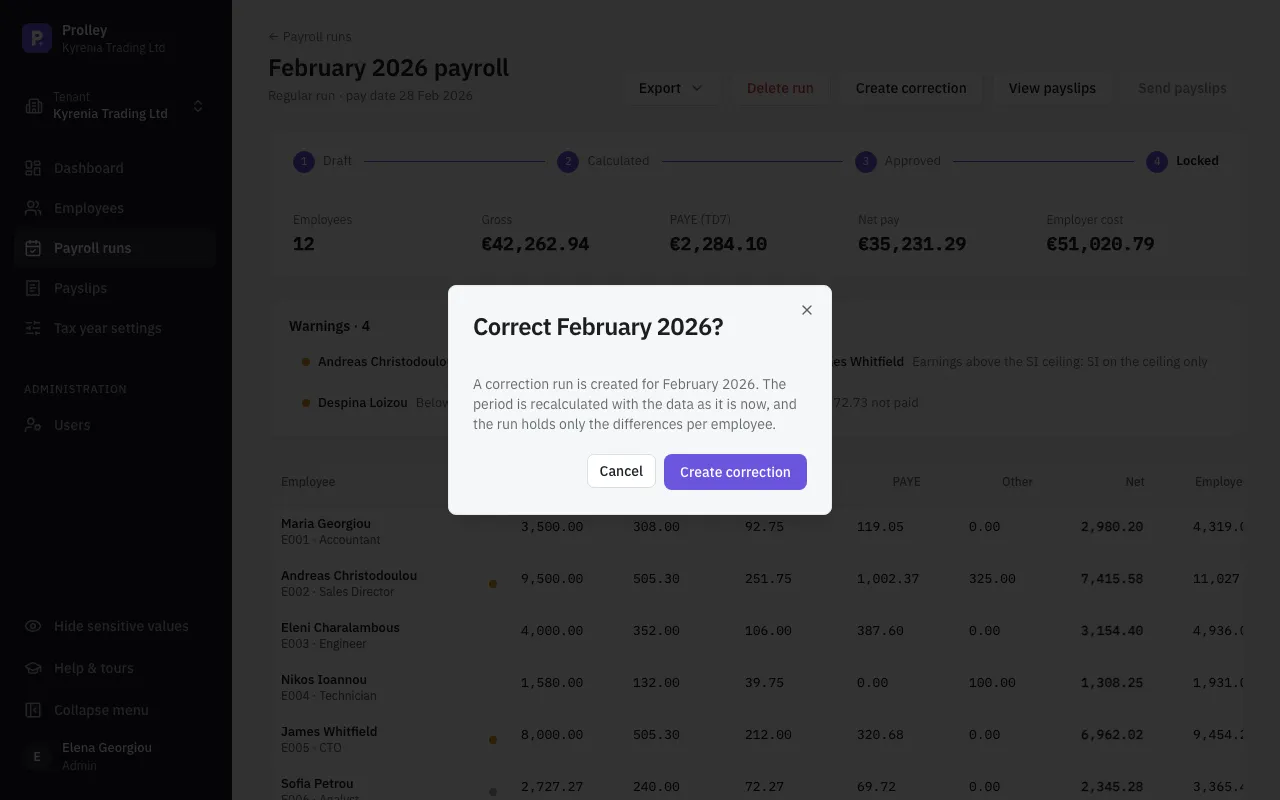
On Payroll runs, open the run that was wrong and click Create correction, then Create correction again to confirm.
Check the differences
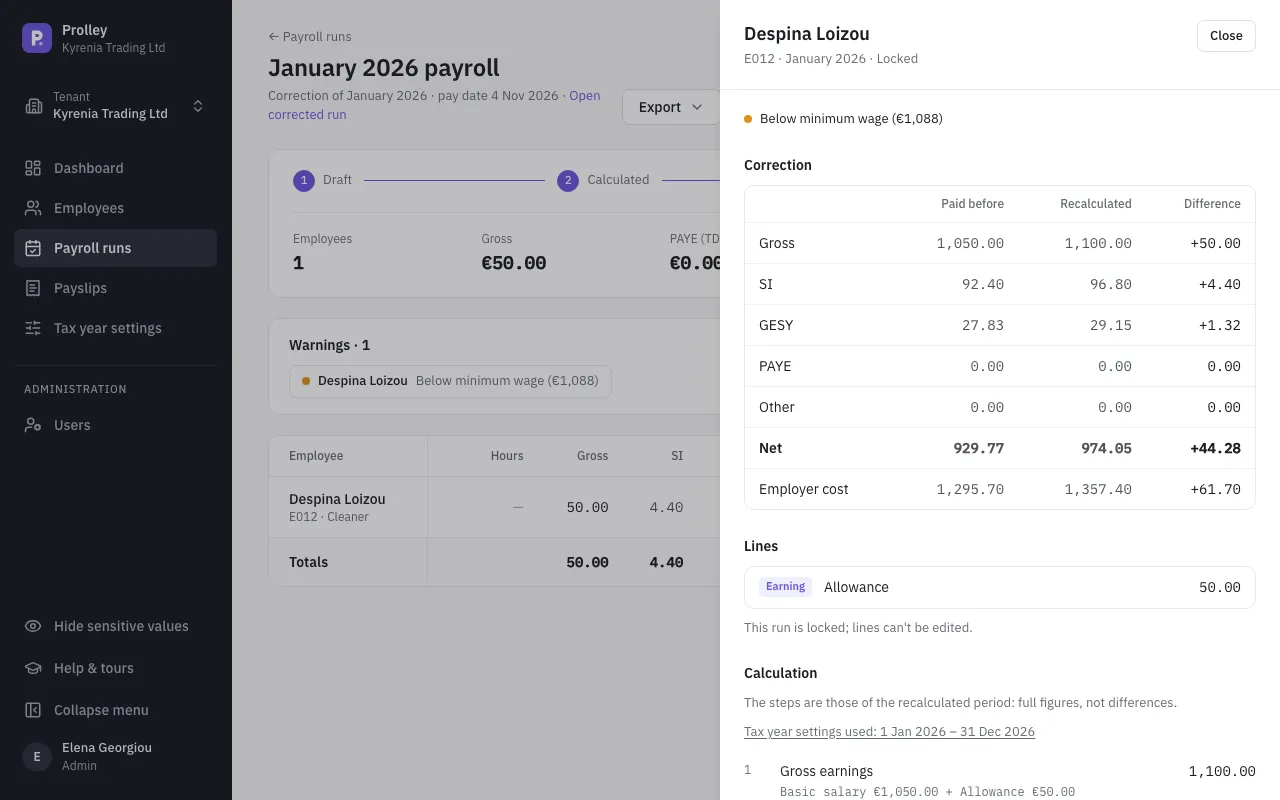
The correction lists only the employees whose figures changed. Click a name to see, for each figure, what was Paid before, what it is Recalculated to, and the Difference.
Add what the data can't capture
Some mistakes aren't in the employee's data: a bonus that was never entered, or the wrong hours. While the correction is a draft or calculated, click Add line, hours or unpaid days and choose:
- Line: a pay item, such as a bonus or an allowance, for the period;
- Hours: the hours the period should have paid an hourly employee for;
- Unpaid days: the unpaid days the period should have had (0 cancels them).
If the correction says No differences, nothing has changed yet: fix the data or add a line, then calculate again.
Approve and lock
A correction goes through the same steps as any run: calculate, approve, lock. A correction with no differences can't be approved.
Locking it issues correction payslips that show each difference with its sign. The correction is paid on the day it was created, but it's reported in the month it corrects: a correction of March goes into March's TD7, and into the annual reports.
The 13th salary
Who gets it
Every employee with 13th salary ticked on their page who worked at least one day in the year: monthly and weekly-paid staff alike, including those who left during the year.
The amount is a month's pay × the months worked in the year ÷ 12. A part month counts by its calendar days, and a rehired employee's periods of work in the year are added together. A month's pay is worked out from the rate in force on 31 December:
- for a monthly rate, the monthly rate;
- for a weekly rate, the weekly rate × 52 ÷ 12;
- for an annual rate, the annual rate ÷ 12, or ÷ 13 if the employee's Annual rate paid in is 13 payments, 13th salary included;
- for an hourly rate, depending on 13th salary based on: Contracted hours (hours × rate × 52 ÷ 12) or Average basic pay per month (the basic pay actually paid in the year, per month).
Create the 13th salary run
Lock December
Lock every run reported in December: the monthly run and any weekly runs paid in December.
Create it
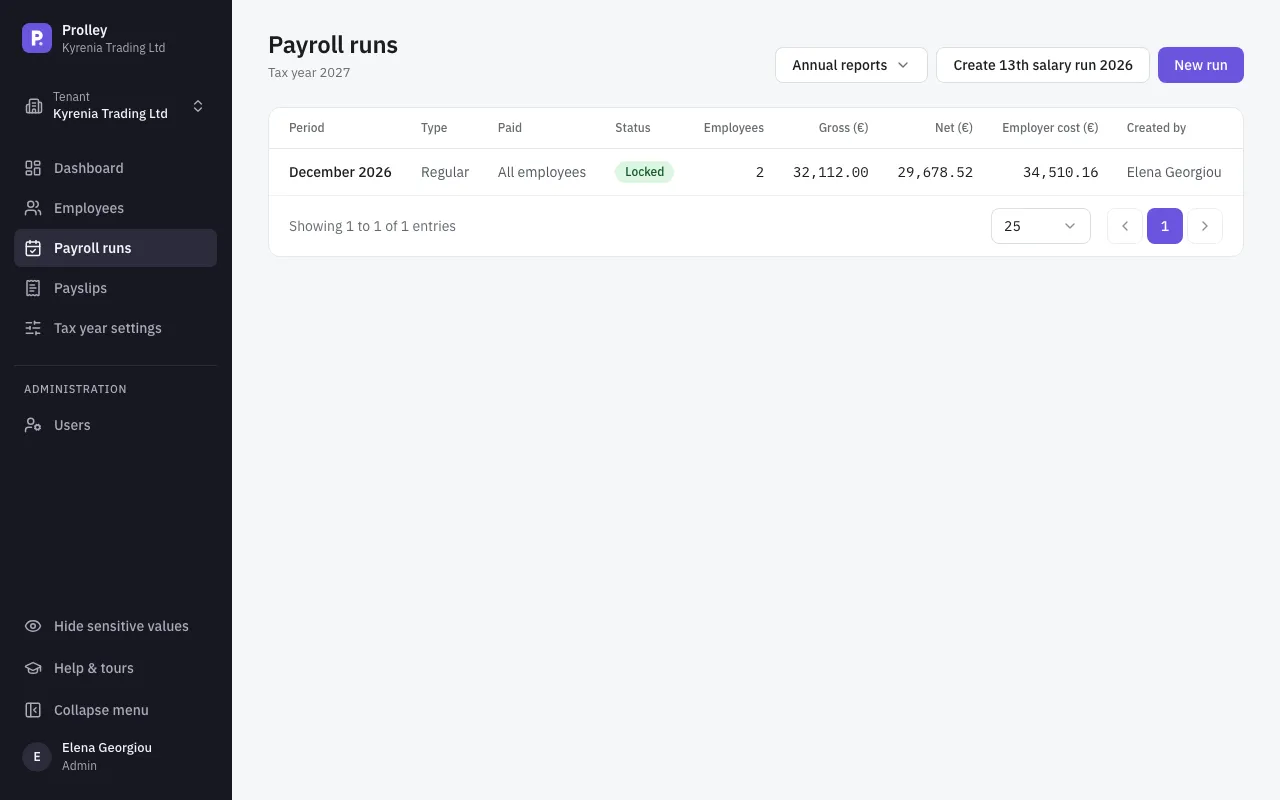
On Payroll runs, click Create 13th salary run 2026. The run is created for December, with a pay date of 31 December, and opens.
Calculate, approve and lock
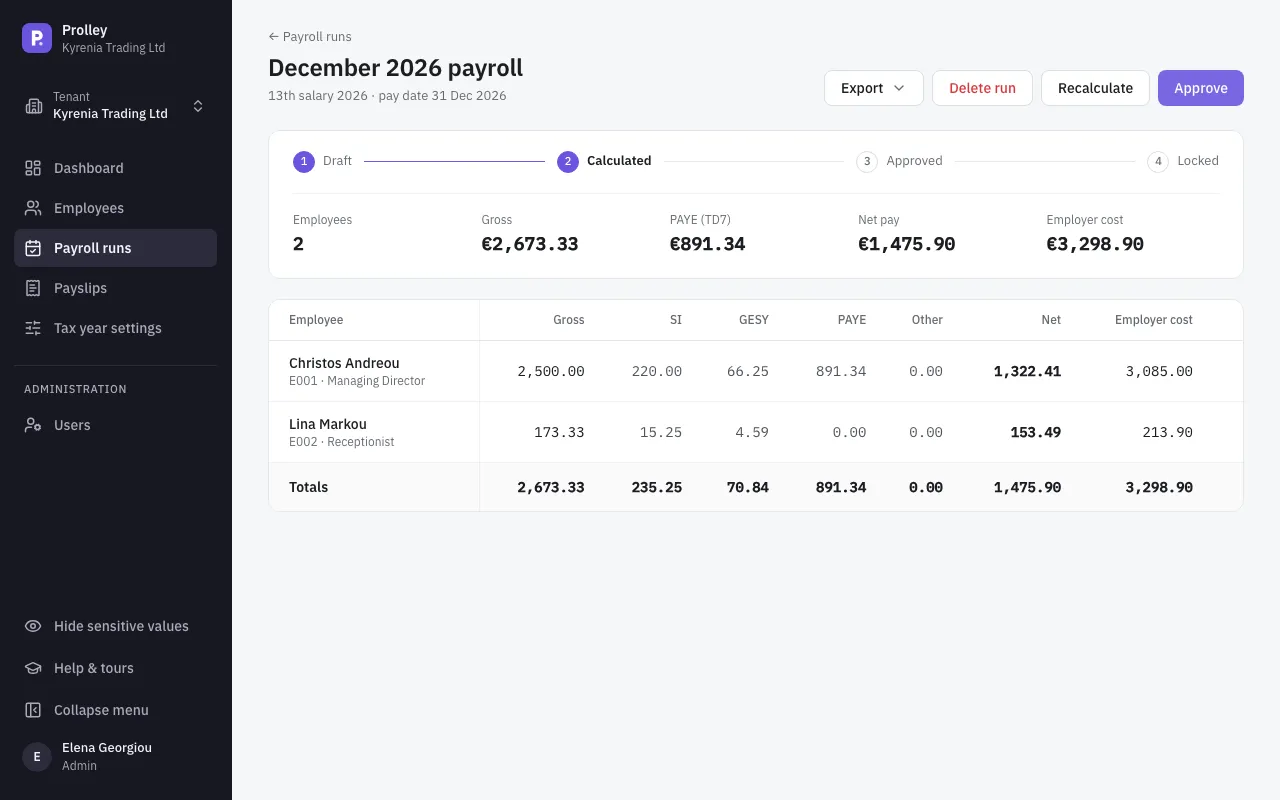
The run takes no hours, lines or unpaid days. Click Calculate, check the figures, then Approve and Lock & issue payslips.
There's one 13th salary run per year.
How it's taxed
- Income tax: it's taxed like basic pay, and it closes the year. The run withholds the year's tax still due after everything withheld so far, so the year's PAYE comes out right. During the year, each monthly run leaves part of the tax for it.
- Social Insurance: charged only up to what's left of the year's ceiling. An employee whose pay reached the ceiling every month pays none on it.
- Provident fund: not charged.
- Contribution schemes: charged only for schemes with Charge on the 13th salary too ticked. See Unions, funds and other contribution schemes.
The 13th salary appears on its own payslips, in the year to date, and in the TD7 and TD63.