Quick answers
Blurred amounts, guided tours, another company, read-only mode, the language, and other common questions.
Last updated
Short answers to the questions people ask most, with a link to the full guide where there is one.
Why are the amounts blurred?
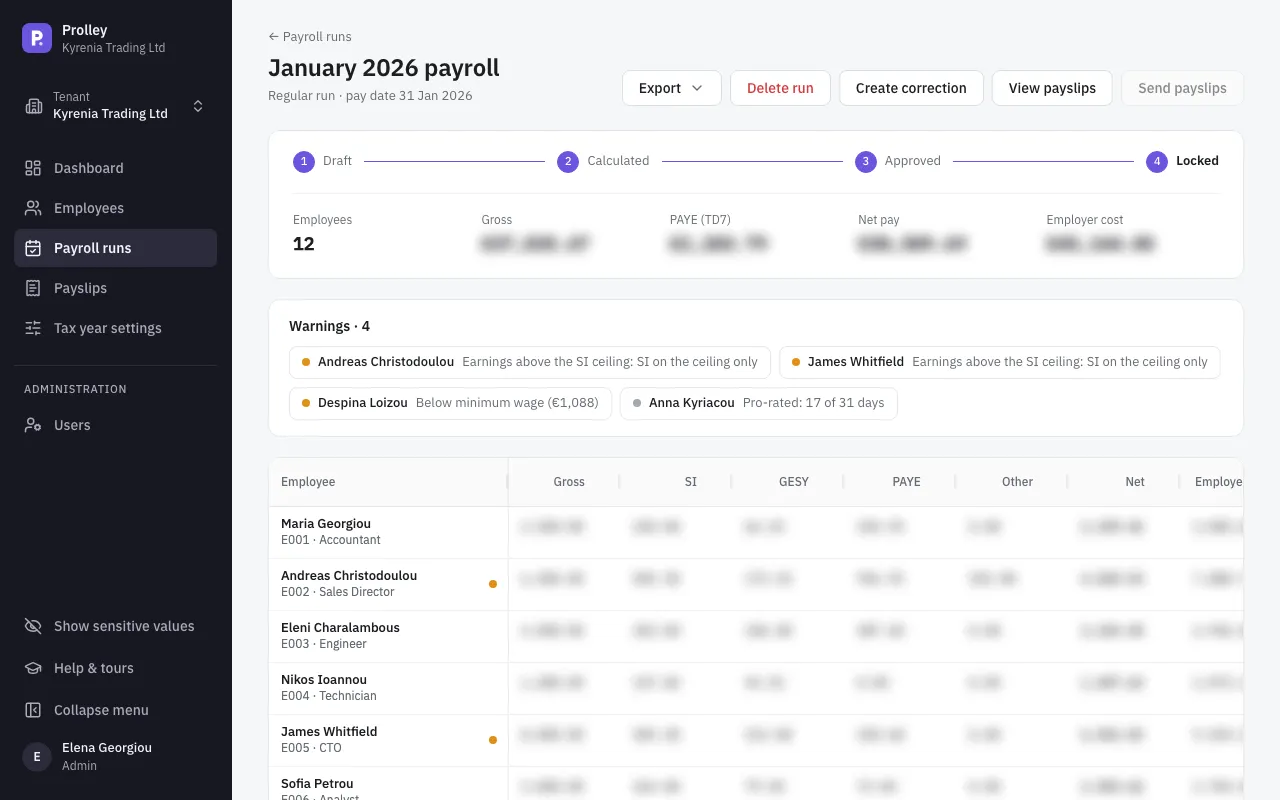
To keep pay private on screen. Amounts and personal details start blurred in every new browser tab and after every sign-in, so nobody sees salaries over your shoulder or in a screen share.
- To show them, click Show sensitive values at the bottom of the sidebar, or press Shift+Alt+H. Click again to hide them.
- To see just one value, press and hold it for 3 seconds.
What's blurred: pay rates, earnings, deductions, net pay, employer costs and totals, and personal identifiers such as date of birth, ID number, TIC, Social Insurance number, IBAN and address. Names, emails, phone numbers, hours, statuses and the tax year rates stay visible. Fields you're typing in are never blurred.
The blur is only on screen: printing shows the real values, and exports, payslip PDFs and emails are unaffected.
How do I take a guided tour?
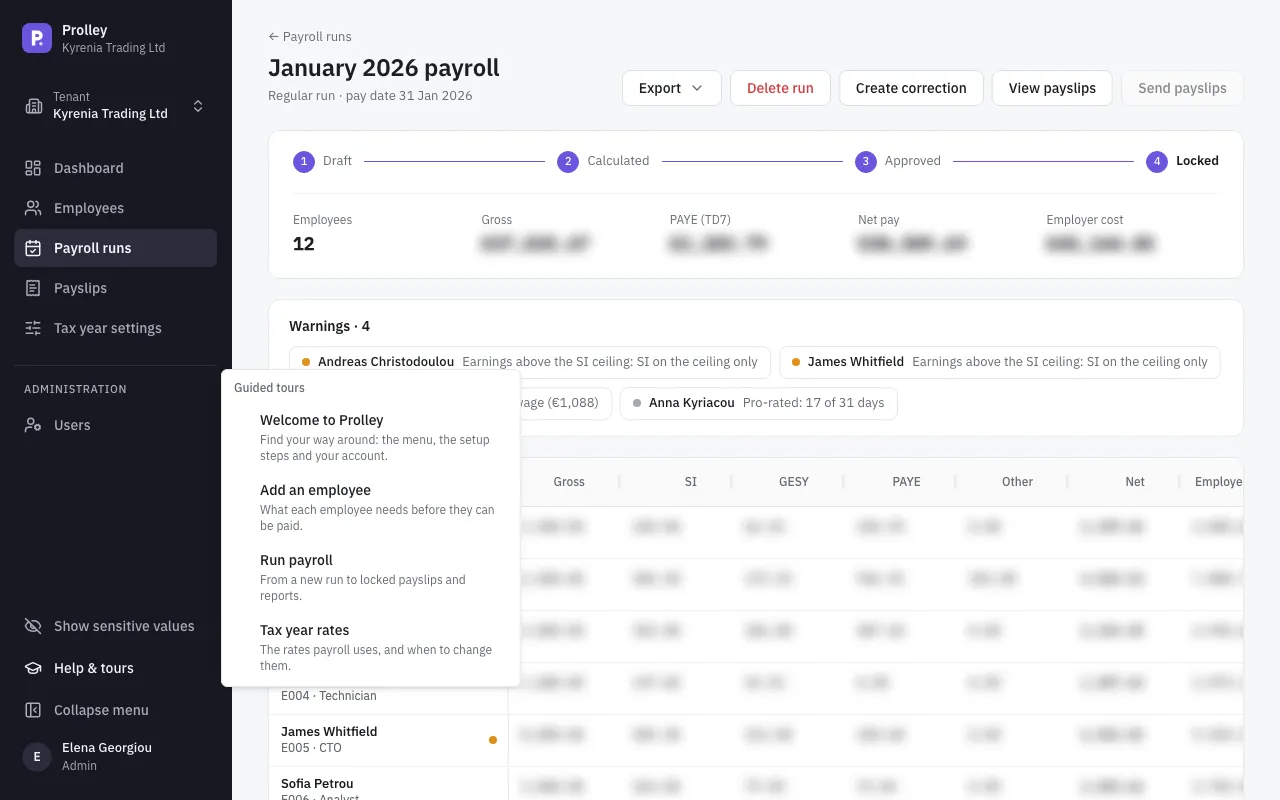
Click Help & tours at the bottom of the sidebar and choose a tour: Welcome to Prolley, Add an employee, Run payroll or Tax year rates. The Show me links on the dashboard's setup checklist start them too.
Tours work on a computer: they don't show on a phone.
How do I add another company?
Open the company switcher at the top of the sidebar and click New company. You sign in to it with the same email and password. It has its own free trial and subscription. See Your plan, billing and invoices.
Why can't I change anything?
Either your role is Viewer, which can look at everything but change nothing, or the company is read-only because of billing: the trial has ended, a payment is overdue, or the subscription was cancelled. A banner at the top says which. You can still view and export everything. See Your plan, billing and invoices and Invite your team and choose their roles.
Why is "Add employee" greyed out?
Hold the pointer over the button to see why. Usually your plan is full: every place on it is taken by an active employee. Add employees to your plan, or terminate someone who has left. It's also greyed out while the company is read-only. See Your plan, billing and invoices.
How do I change the language?
Open your profile from the user menu at the bottom of the sidebar, go to Preferences and choose the Language: English or Greek. Each user chooses their own. Payslips, exports and emails stay in English.
Does Prolley file my returns or pay my staff?
No. Prolley calculates the payroll and prepares the files: payslips, the TD7 return, TD63 certificates, Social Insurance figures and a bank payment list. You upload the TD7 to Tax For All, enter the Social Insurance figures on its portal, and pay salaries from your bank. See Close the year: TD7, TD63 and Social Insurance.
Can I change a locked run?
No. Once locked, a run's payslips are issued and its figures reported. To fix it, create a correction, which pays only the difference. See Fix a locked run and pay the 13th salary.
Where do I set the minimum wage, the Social Insurance ceiling or the tax bands?
In Tax year settings, for each year. See Check and manage your tax year settings.